Golden Trees plans every shift so each kid gets their fair share of minutes, runs the game clock, and buzzes your phone when a sub is due. When someone gets hurt or shows up late, it re-plans the rest of the game for you.
What it does
Most sub apps are a timer and a minutes list. Golden Trees builds the whole rotation before kickoff, then keeps it fair while the game happens.
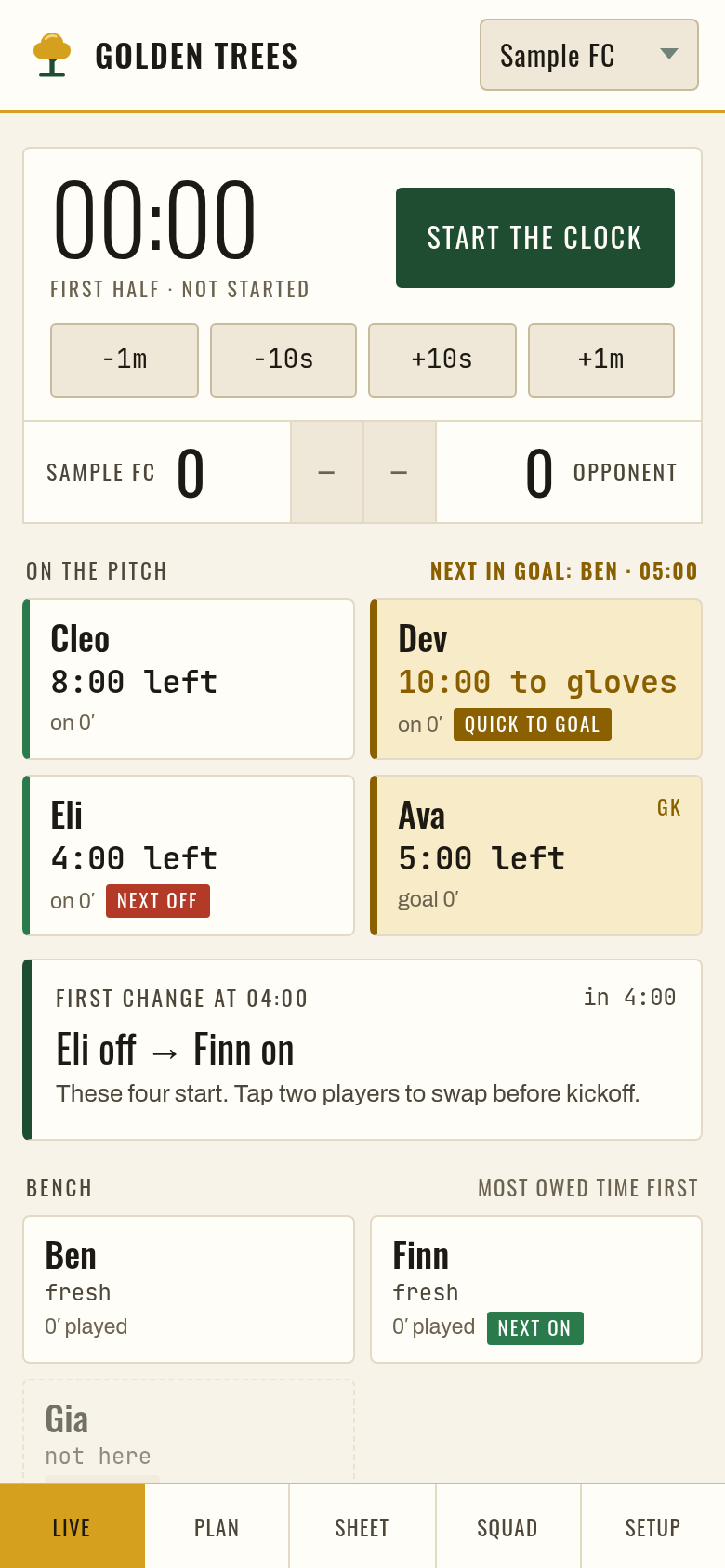
Set the format and who is here. It plans field shifts and turns in goal so playing time is as even as the clock allows.
The clock pauses itself at half time, your phone buzzes when a change is due, and the screen stays awake on the sideline.
Injury, late arrival, a kid who needs a rest: tap it and the rest of the game is re-planned. Missed a change while your phone was locked? It asks what happened.
Optional private skill, stamina and keeper ratings so every shift has a mix of players. Choose even time or tilt toward your strongest.
Keep two players apart, or put two together when you can. Keep-apart is never broken, goal included.
Every game is added to a season table, so you can see who is owed time across the whole season, not just today.
Sign in on a second phone, or invite an assistant coach by email. They follow the game live, see the full board, and can take over with one tap.
Share a read-only link: score, clock, who's on and minutes played. First names only. Never ratings, notes or pairings. Turn it off or make a new link any time.
Coach two age groups? Each team keeps its own roster, rules, games and season.
Score, full undo, a printable sub sheet, and a bright mode for sunny fields. Works from 4v4 up to 11v11, and works offline.
Game day
Pricing
No app store needed. Open it on your phone and tap Add to Home Screen.
Founding coaches keep $29 a year for as long as they stay subscribed. Cancel any time.
FAQ
Only what you type in. First names or nicknames are enough, and we suggest keeping medical details out of notes. Your roster lives on your phone, and if you turn on cloud backup, in your own private account that only you can read.
No. Ratings and notes are private to the coach and any assistant coaches you invite. They are never in the parent summary, the parent view link or the printable sheet.
The score, the clock, who is on the pitch and minutes played, with first names only. It is read-only, and you can turn it off or replace it with a new link whenever you like.
First names and minutes played. That is it. No ratings, no notes.
Yes. Once it is on your home screen, Golden Trees opens and runs offline. Backups catch up when you are back online.
It splits the game into shifts and gives every player who is here as even a share as the clock allows, including turns in goal for kids who want them. Players who are hurt or arrive late are handled without shortchanging anyone else.
No. Open goldentrees.app on your phone, then use Add to Home Screen. It gets its own icon and opens full screen like any app.
It is named after my kid's team, where the idea started: a parent coach who wanted every kid to get a fair turn without doing math on the sideline.
Once you sign in, the app gives you your own link. When a coach opens it and later buys Pro, you both get a free month. Three coaches who buy Pro from your link earn you a free year.
Any time, from the receipt email, or just write to greene@mail.grokbot.com. Pro stays on until the end of the year you paid for.
